
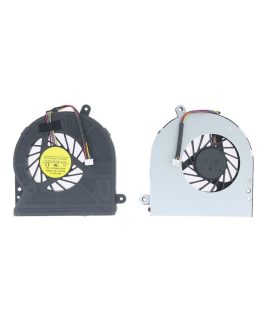
 Toshiba Cooling Fan C650 C650D C655 C655D L650 L655D C660 C660D C665 C660D 4 PIN
 المجموع: 350 EGP


Fan, MacBook Fan
CPU Fan For MacBook Pro 13″ A1278 A1342
Model: CPU Cooling Fan Replacement for MacBook Pro 13″ Unibody A1278 A1342 (2008,2009, 2010, 2011, 2012)
350 EGP
CPU Fan For MacBook Pro 13″ A1278 A1342
Compatibility:
MacBook Unibody 13″ A1278
- MacBook 5,1 Late 2008: MB466LL/A (2.0 GHz Core 2 Duo)
- MacBook 5,1 Late 2008: MB467LL/A (2.4 GHz Core 2 Duo)
MBook Unibody 13″ A1342
- MacBook 6,1 Late 2009: MC207LL/A (2.26 GHz Core 2 Duo)
- MacBook 7,1 Mid 2010: MC516LL/A (2.4 GHz Core 2 Duo)
MacBook Pro Unibody 13″ A1278
- MacBook Pro 5,5 Mid 2009: MB990LL/A (2.26 GHz Core 2 Duo)
- MacBook Pro 5,5 Mid 2009: MB991LL/A (2.53 GHz Core 2 Duo)
- MacBook Pro 7,1 Mid 2010: MC374LL/A (2.4 GHz Core 2 Duo)
- MacBook Pro 7,1 Mid 2010: MC375LL/A (2.66 GHz Core 2 Duo)
- MacBook Pro 8,1 Early 2011: MC700LL/A (2.3 GHz Core i5)
- MacBook Pro 8,1 Early 2011: MC724LL/A (2.7 GHz Core i7)
- MacBook Pro 8,1 Late 2011: MD313LL/A (2.4 GHz Core i5)
- MacBook Pro 8,1 Late 2011: MD314LL/A (2.8 GHz Core i7)
- MacBook Pro 9,2 Mid 2012: MD101LL/A (2.5 GHz Core i5)
- MacBook Pro 9,2 Mid 2012: MD102LL/A (2.9 GHz Core i7)
High-Performance CPU Fan for MacBook Pro 13″ (A1278, A1342)
Is your MacBook Pro overheating, slowing down, or making loud noises? A faulty CPU fan can cause serious performance issues and even hardware damage. Our premium replacement CPU fan is specifically designed for the MacBook Pro 13″ A1278 and A1342 models, providing efficient cooling to keep your laptop running smoothly.
Why Choose Our MacBook Pro CPU Fan?
✔ Perfect Compatibility – Fits MacBook Pro 13″ A1278 (2009-2012) & A1342 (2010) models.
✔ Enhanced Cooling – Optimized blade design improves airflow, reducing heat buildup.
✔ Quiet Operation – Minimizes noise while maintaining high-speed cooling.
✔ Durable Build – High-quality materials ensure long-lasting performance.
✔ Easy Installation – Direct replacement for your old fan (basic technical skill required).
Signs You Need a New CPU Fan:
Loud grinding or whirring noises
Frequent overheating and sudden shutdowns
Slow performance due to thermal throttling
Error messages related to cooling system failure
Installation Tips:
Power off your MacBook Pro and disconnect the battery.
Remove the bottom case and locate the old CPU fan.
Disconnect the fan cable and unscrew the mounting bolts.
Install the new fan, reconnect the cable, and reassemble your laptop.
Boost Your MacBook’s Lifespan!
Overheating can damage your MacBook’s processor, battery, and other components. Replacing a failing CPU fan is a cost-effective way to prevent expensive repairs and extend your laptop’s usability.
Order Now & Enjoy:
✅ 100% Genuine Replacement Part
✅ Fast Shipping & Secure Checkout
Upgrade your MacBook Pro 13″ today and enjoy a cooler, quieter, and faster-performing laptop!
| Condition | New |
|---|
Based on 0 reviews
Only logged in customers who have purchased this product may leave a review.


There are no reviews yet.