
-
×
 Speaker For MacBook Pro Retina A1708 (LATE 2016 - MID 2017)
1 × 1,000 EGP
Speaker For MacBook Pro Retina A1708 (LATE 2016 - MID 2017)
1 × 1,000 EGP
المجموع: 1,000 EGP


غير متوفر في المخزون
2,000 EGP
غير متوفر في المخزون
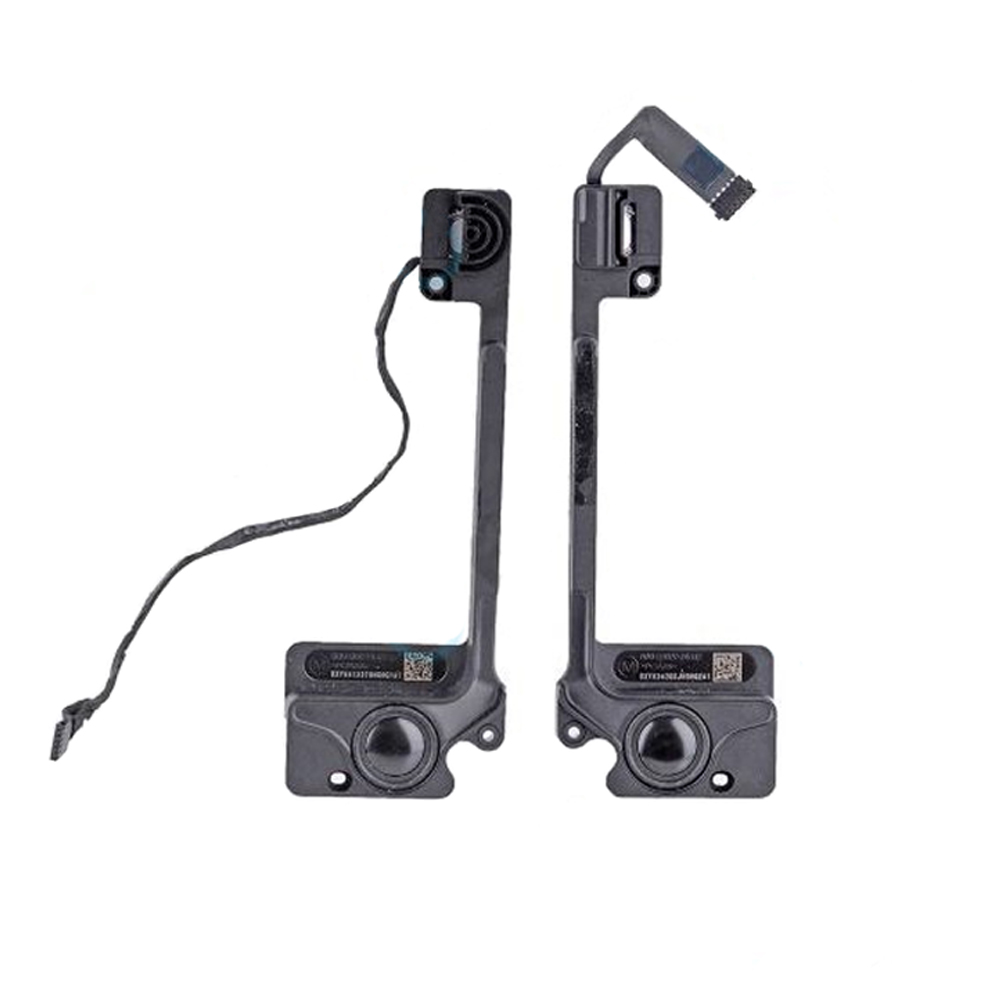
Speaker For MacBook Pro 13″ Retina Left & Right A1502 (Late 2013-Early 2015)
Compatible Model:
MacBook Pro 13″ Retina A1502
Is your MacBook Pro 13″ Retina A1502 (Late 2013-Early 2015) producing crackling sound, low volume, or no audio at all? A faulty speaker could be the culprit. Our high-quality replacement speaker set (left & right) is designed to restore your MacBook’s sound to its original clarity.
This speaker is 100% compatible with:
✔ MacBook Pro 13″ Retina A1502 (Late 2013, Mid 2014, Early 2015)
✔ Left & Right channel speakers included
✔ Direct OEM replacement – no modifications needed
✅ Premium Sound Quality – Enjoy crisp, distortion-free audio.
✅ Easy Installation – No soldering required; follow our step-by-step guide.
✅ Durable Build – Long-lasting performance with high-grade materials.
✅ Perfect Fit – Exact match for seamless replacement.
No sound from one or both sides
Distorted or muffled audio
Intermittent sound cutting in and out
Buzzing or static noise
Power off your MacBook and disconnect all cables.
Remove the bottom case screws and carefully open the casing.
Locate the faulty speaker (left or right).
Disconnect the old speaker and replace it with the new one.
Secure the connections, reassemble your MacBook, and test the audio.
We offer fast shipping and a reliable warranty on all our MacBook Pro replacement parts. If you have any questions, our support team is here to help!
Upgrade your MacBook Pro’s audio today with this genuine-quality speaker replacement!
Only logged in customers who have purchased this product may leave a review.




There are no reviews yet.