Right+Left Loud Speaker For MacBook Pro 13″ Touch A1706 (Late 2016 – Mid 2017)
Description:
- Please check model Number and match with your Product.
- Generic and Proper Left + Right Loud Speaker
- Super Quality
- Every product crosscheck Before Shipping
- Compatible with – macbook pro Touch 13″ a1706.
Compatibility:
MacBook Pro 13″ A1706 Right+Left Loud Speaker
- MacBook Pro 13-Inch “Core i5” 2.9 Touch/Late 2016 2.9 GHz Core i5 (I5-6267U)
- MacBook Pro 13-Inch “Core i5” 3.1 Touch/Late 2016 3.1 GHz Core i5 (I5-6287U)
- MacBook Pro 13-Inch “Core i7” 3.3 Touch/Late 2016 3.3 GHz Core i7 (I7-6567U)
- MacBook Pro 13-Inch “Core i5” 3.1 Touch/Mid-2017 3.1 GHz Core i5 (I5-7267U)
- MacBook Pro 13-Inch “Core i5” 3.3 Touch/Mid-2017 3.3 GHz Core i5 (I5-7287U)
- MacBook Pro 13-Inch “Core i7” 3.5 Touch/Mid-2017 3.5 GHz Core i7 (I7-7567U)
For More Products
Restore Your MacBook Pro’s Audio with Premium Replacement Speakers
Is your MacBook Pro 13″ Touch (Model A1706, Late 2016 – Mid 2017) producing weak, distorted, or no sound? A faulty speaker could be the issue. Our Right+Left Loud Speaker set is a perfect OEM-compatible replacement, ensuring your laptop delivers crisp, high-quality audio just like the original.
Key Features:
✅ Perfect Fit – Designed specifically for MacBook Pro 13″ Touch A1706 (Late 2016 – Mid 2017)
✅ High-Quality Sound – Clear, balanced audio with minimal distortion
✅ Easy Installation – Direct replacement for your old or damaged speakers
✅ Durable Build – Long-lasting performance with premium materials
✅ OEM-Compatible – Matches Apple’s original speaker specifications
Why Replace Your MacBook Pro Speakers?
Over time, laptop speakers can wear out due to dust, moisture, or hardware failure. If you notice crackling sounds, low volume, or complete audio loss, replacing the speakers is the best solution. Our left and right loud speaker set ensures your MacBook Pro regains its full audio capabilities without expensive repairs.
Compatibility:
✔ MacBook Pro 13″ with Touch Bar
✔ Model: A1706 (Late 2016 – Mid 2017 Release)
✔ Replaces both left and right channel speakers
Easy Installation Guide:
Power off your MacBook Pro and disconnect all cables.
Open the bottom case using a P5 Pentalobe screwdriver.
Carefully remove the old speakers and disconnect their cables.
Install the new speakers in the same position and reconnect the cables.
Reassemble your MacBook Pro and test the audio.
Buy with Confidence:
We provide high-quality replacement parts with secure packaging and fast shipping. If you have any questions about compatibility or installation, our support team is ready to help!
Upgrade your MacBook Pro’s audio today with this reliable speaker set!

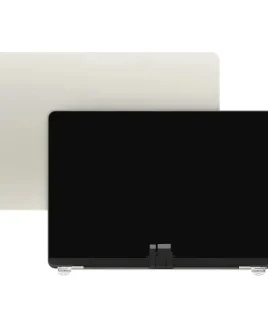 MacBook Air M4 A3240 13" Replacement LCD Screen Display Assembly 2025 Starlight
1 × 20,000 EGP
MacBook Air M4 A3240 13" Replacement LCD Screen Display Assembly 2025 Starlight
1 × 20,000 EGP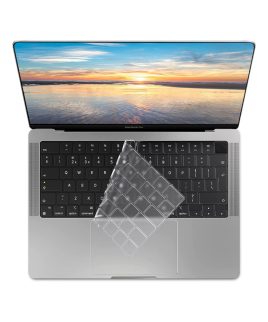 Keyboard Protector Cover For MacBook Pro 16.2/14.2 (A2485/A2442/A2941) Arabic & English UK – Clear
1 × 175 EGP
Keyboard Protector Cover For MacBook Pro 16.2/14.2 (A2485/A2442/A2941) Arabic & English UK – Clear
1 × 175 EGP Speaker Set Replacement For Dell Inspiron 15 5570 5575 (Left & Right)
1 × 800 EGP
Speaker Set Replacement For Dell Inspiron 15 5570 5575 (Left & Right)
1 × 800 EGP فلاشة كوكسيا 16G
1 × 65 EGP
فلاشة كوكسيا 16G
1 × 65 EGP A1465 A1370 Apple MacBook Air 11″ 2013 2014 (Right & Left) Internal Speaker
1 × 900 EGP
A1465 A1370 Apple MacBook Air 11″ 2013 2014 (Right & Left) Internal Speaker
1 × 900 EGP


There are no reviews yet.